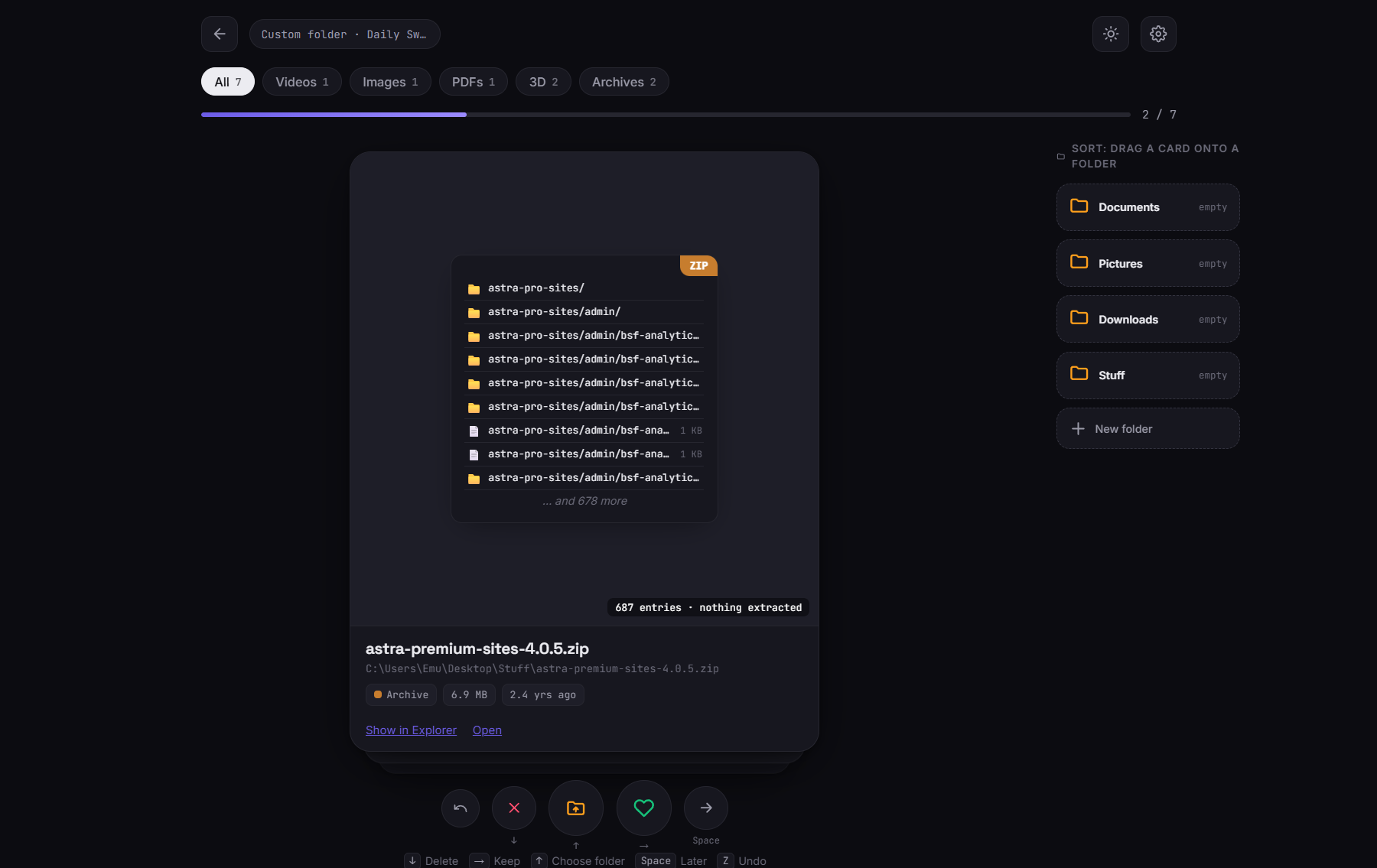
Sweep shows every file as a card with a real preview. Swipe right to keep, left to delete, or drag it onto a folder to sort. The catch that makes it safe: nothing moves or gets deleted until you confirm everything at the end.
Watch a folder go from graveyard to clean in a couple of minutes.
One file, one decision. Swipe with your mouse or fly through with the keyboard.
Images, PDFs, Word, Excel, text, CSV, ZIP contents, 3D STL models, video thumbnails, and real program icons.
Drag a card onto a folder. Pin folders or make new ones — nothing is created on disk until you apply.
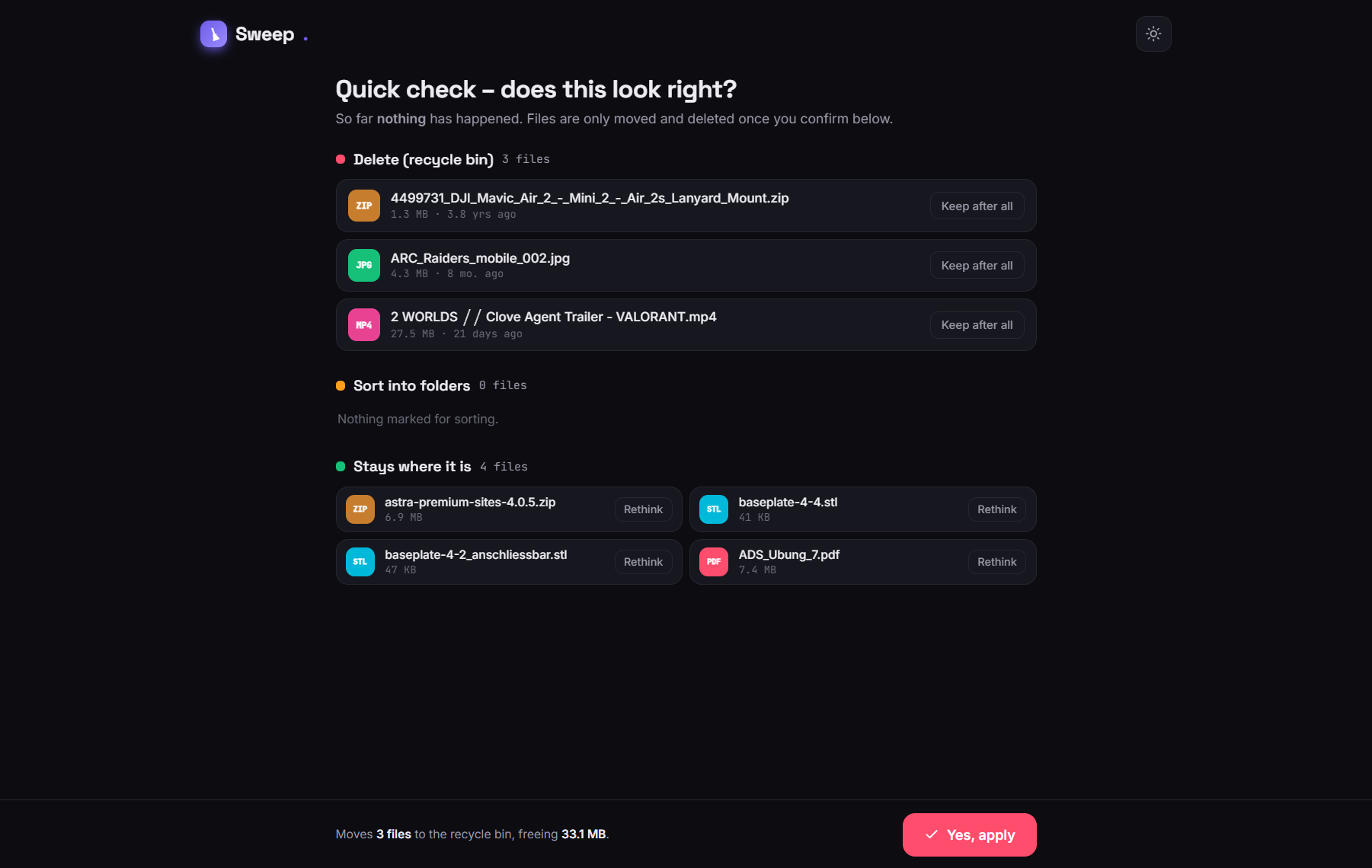
A review screen before anything happens. Deletions go to the Recycle Bin, and moves can be undone.
Every applied move and deletion is logged, with one click to find a file at its new home.
Remappable shortcuts, English & German, and it follows your system's light or dark theme.
Sweep is fully offline. It never uploads anything and has no telemetry. It only touches a file when you press “Yes, apply.”
| Swipe left | Delete → Recycle Bin |
| Swipe right | Keep |
| Drag onto folder | Sort there |
| Space | Decide later |
| Z | Undo last decision |
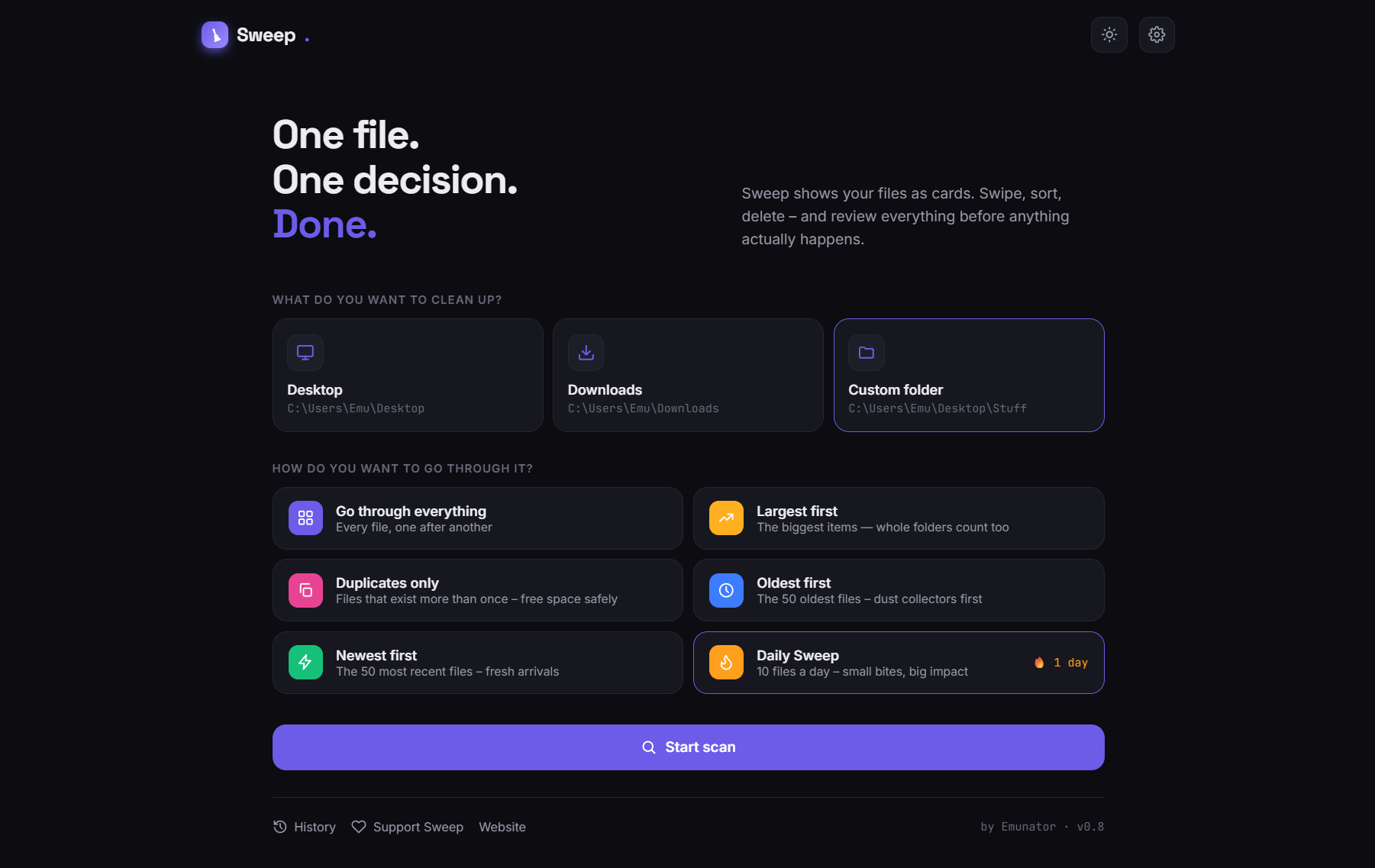
Go through everything, or zero in on what matters most right now.
Click a screenshot to see it larger.
Free, no account, no ads. Windows 10 and 11.
Open the Releases page.
Grab Sweep-Setup-x.x.x.exe (installer) or Sweep-x.x.x-portable.exe if you'd rather not install.
Run it. If SmartScreen warns about an “unknown publisher” (the app isn't code-signed), click More info → Run anyway.
For developers. Requires Node.js 18+.
Full transparency: I'm not a hardcore developer — I'm a “vibe coder.” Sweep was built collaboratively with Claude (Anthropic) through a long back-and-forth of describing, testing and iterating. The code, the previews, the logo and the README all came out of that process. I think that's a cool story rather than something to hide.
Sweep started as a tool to declutter one very messy Downloads folder. It's free and open-source in case it helps with yours.
 Sweep
Sweep